
The VRLA Tech AMD Ryzen 7 9800X3D RX 9070 XT gaming PC combines one of AMD’s gaming-focused X3D processors with a powerful Radeon graphics card designed for demanding modern games. Instead of pairing a premium CPU with an underpowered GPU, this configuration aims to provide balanced performance for competitive gaming, high-resolution AAA titles, streaming, and everyday productivity.
At the center of the system is the AMD Ryzen 7 9800X3D, an 8-core, 16-thread AM5 processor with AMD’s 3D V-Cache technology. It is paired with the Radeon RX 9070 XT, which features 16GB of GDDR6 memory and AMD’s RDNA 4 architecture.
For gamers considering a premium prebuilt rather than assembling individual components, understanding how these parts work together is more important than simply looking at model numbers. This guide examines the hardware, gaming potential, cooling, memory, storage, upgradeability, power requirements, and the types of users who can benefit most from this configuration.
VRLA Tech AMD Ryzen 7 9800X3D RX 9070 XT Overview
The VRLA Tech configuration is built around high-performance AMD hardware. The ready-to-ship version currently combines the Ryzen 7 9800X3D and Radeon RX 9070 XT with 32GB DDR5-6000 memory, a 2TB PCIe NVMe SSD, an X870 motherboard, a 360mm liquid CPU cooler, and a 1000W 80+ Gold power supply.
That creates a system aimed well above entry-level or ordinary mid-range gaming PCs.
| Component | Configuration |
|---|---|
| Processor | AMD Ryzen 7 9800X3D |
| CPU Cores / Threads | 8 Cores / 16 Threads |
| Graphics Card | AMD Radeon RX 9070 XT |
| GPU Memory | 16GB GDDR6 |
| System Memory | 32GB DDR5-6000 |
| Storage | 2TB M.2 PCIe NVMe SSD |
| Motherboard | X870 Gigabyte AORUS Elite |
| CPU Cooling | 360mm Liquid Cooler |
| Power Supply | 1000W 80+ Gold |
| Operating System | Windows 11 |
| Connectivity | Wi-Fi and Bluetooth |
| Platform | AMD AM5 |
The actual appearance or exact supporting components can vary depending on the configuration available when the computer is purchased.
Why the Ryzen 7 9800X3D Matters for Gaming
A powerful graphics card is important, but CPU performance becomes particularly noticeable in high-refresh-rate gaming, simulation titles, strategy games, esports, and CPU-heavy open-world environments.
The Ryzen 7 9800X3D is built specifically with gaming performance in mind.
AMD lists the processor with:
- 8 CPU cores
- 16 processing threads
- Up to 5.2 GHz boost clock
- 120W default TDP
- DDR5 memory support
- PCIe 5.0 connectivity
- AM5 socket compatibility
Its biggest advantage is AMD’s 3D V-Cache technology, which gives the processor considerably more cache than a conventional gaming CPU.
Why Extra Cache Helps
Games repeatedly request information such as physics calculations, player locations, world data, AI behavior, and draw-call instructions.
When more of this frequently accessed information can remain close to the CPU, the processor may spend less time waiting for slower system memory.
This can be especially beneficial in:
- Competitive shooters
- Racing simulators
- Strategy games
- MMORPGs
- Large open-world games
- Simulation-heavy titles
- High-refresh 1080p and 1440p gaming
The benefit is not simply a higher average frame rate. A strong gaming CPU can also help maintain smoother frame delivery during demanding scenes.
Radeon RX 9070 XT Graphics Performance
The other half of the VRLA Tech AMD Ryzen 7 9800X3D RX 9070 XT combination is AMD’s Radeon RX 9070 XT.
The graphics card uses the RDNA 4 architecture and includes 64 compute units, 16GB GDDR6 memory, a 256-bit memory interface, and up to a 2,970 MHz reference boost frequency. AMD specifies a typical board power of 304W and recommends at least a 750W PSU for a reference configuration.
16GB VRAM Is an Important Advantage
Modern games increasingly use large textures, complex environments, high-resolution assets, ray-tracing data, and detailed shaders.
The RX 9070 XT’s 16GB of VRAM gives the system useful headroom for demanding graphics settings, particularly at 1440p and 4K.
More VRAM can be valuable when using:
- Ultra-quality texture packs
- High-resolution monitors
- Large open-world environments
- Heavily modded games
- Ray tracing
- Creative applications
- Multiple high-resolution displays
VRAM alone does not determine performance, but having enough graphics memory can help prevent memory capacity from becoming an unnecessary limitation.
Ryzen 7 9800X3D and RX 9070 XT: Is It a Balanced Combination?
Yes. Balance is one of the strongest aspects of this configuration.
A high-end GPU paired with a weaker processor can become CPU-limited in certain games. Likewise, spending heavily on a gaming CPU while using a significantly weaker graphics card would waste potential at higher resolutions.
The Ryzen 7 9800X3D and RX 9070 XT complement each other well because each component addresses a different performance requirement.
The processor is particularly useful for:
- High frame rates
- CPU-heavy games
- Minimum FPS consistency
- Simulation workloads
- Competitive gaming
The graphics card handles:
- Resolution
- Texture quality
- Visual effects
- Ray tracing
- High graphics presets
- GPU-intensive AAA gaming
Together, they create a system suited to gamers who want strong performance without building around only one component.
1080p Gaming Performance
The hardware is arguably more powerful than necessary for ordinary 1080p 60Hz gaming.
However, 1080p remains relevant for competitive players using monitors with very high refresh rates.
At lower resolutions, the graphics card often finishes rendering frames more quickly, increasing the importance of CPU performance. That is exactly where an X3D processor can become useful.
The configuration makes the most sense at 1080p for gamers using:
- 240Hz monitors
- 360Hz displays
- Competitive graphics settings
- Esports titles
- CPU-heavy multiplayer games
Someone playing casual games on a 1080p 60Hz monitor would be unlikely to use the full potential of this hardware.
1440p Gaming
1440p is arguably one of the strongest targets for this PC.
It provides a substantial improvement in visual detail over 1080p without creating the same GPU load as native 4K.
The Ryzen 7 9800X3D and RX 9070 XT combination is particularly attractive for gamers interested in both image quality and high refresh rates.
It should be well suited to:
- 1440p high settings
- 1440p ultra settings
- High-refresh gaming
- Competitive shooters
- Story-driven AAA games
- Open-world titles
- Racing games
- Simulation games
A 1440p 144Hz, 165Hz, 180Hz, or 240Hz display would be a much more natural match for this level of hardware than a basic 60Hz monitor.
4K Gaming Potential
At 4K, the workload shifts increasingly toward the graphics card.
This makes the RX 9070 XT the most important component in the equation.
AMD positions the Radeon RX 9070 XT for high-resolution gaming and publishes 4K performance examples for the GPU across modern titles.
Actual performance will always depend on the game, graphics preset, ray tracing, drivers, patches, and whether technologies such as upscaling or frame generation are enabled.
Users should therefore avoid expecting one universal FPS number.
Instead, consider 4K performance on a game-by-game basis.
AMD FSR and Modern Gaming Features
Raw GPU performance is only one part of modern gaming.
AMD’s software ecosystem also includes FidelityFX Super Resolution technology, commonly known as FSR. Supported games can use upscaling and related technologies to improve performance while maintaining high perceived image quality.
AMD Software: Adrenalin Edition also provides access to graphics settings, performance information, driver updates, and supported Radeon features.
These technologies become especially useful when increasing:
- Resolution
- Ray-tracing quality
- Graphics presets
- Refresh-rate targets
For demanding 4K games, optimized settings combined with appropriate upscaling can often provide a better experience than blindly selecting every setting at its maximum level.
32GB DDR5-6000 Memory
A high-end gaming PC should not be restricted by insufficient system memory.
The VRLA Tech configuration currently includes 32GB of DDR5 memory running at 6000MHz.
For most gaming systems, 32GB provides an excellent balance.
It gives enough capacity for:
- Modern gaming
- Discord
- Browser tabs
- Game launchers
- Streaming applications
- Background software
- Light content creation
- Multitasking
Is 64GB Necessary?
Not for most gamers.
64GB becomes more useful for workloads involving:
- Large video-editing projects
- Virtual machines
- Professional rendering
- Large creative applications
- Heavy development environments
- Extremely memory-intensive simulation or modding workloads
For a gaming-focused machine, 32GB remains a sensible configuration.
2TB NVMe SSD Storage
Game installations continue to grow, which makes storage capacity an important consideration when buying a premium gaming PC.
A 2TB M.2 PCIe NVMe SSD gives users considerably more flexibility than a basic 500GB or 1TB drive.
A larger SSD means more room for:
- Windows
- AAA games
- Competitive games
- Applications
- Recorded gameplay
- Screenshots
- Mods
- Personal files
NVMe storage also provides fast application launches and game loading compared with traditional mechanical hard drives.
Will 2TB Be Enough?
For many users, yes.
However, someone maintaining a very large game library may eventually want additional storage.
The advantage of a desktop platform is that expanding storage later is normally much easier than replacing the entire computer.
X870 Motherboard and AM5 Upgradeability
The X870 motherboard is an important part of this build because it gives the high-end processor and supporting hardware an appropriate platform.
AMD’s AM5 platform supports DDR5 memory and modern PCI Express connectivity.
Upgradeability matters because a premium PC should ideally remain useful for several years.
Possible future upgrades may include:
- Additional storage
- Higher-capacity RAM
- Replacement graphics card
- Additional cooling
- Expansion devices
- Compatible future processor upgrades
Compatibility should always be checked before replacing major components.
Cooling a High-Performance Gaming PC
Premium hardware generates heat, particularly during extended gaming sessions.
VRLA Tech currently lists a 360mm liquid CPU cooler and multiple case fans in this ready-to-ship configuration.
That is appropriate for a performance-oriented system.
Good cooling helps maintain:
- Stable CPU frequencies
- Stable GPU performance
- Lower component temperatures
- Consistent long-session performance
- Better overall system reliability
Airflow Still Matters
Installing a large liquid cooler does not automatically guarantee ideal temperatures.
Case airflow remains important because the graphics card, motherboard, memory, SSD, and power-delivery components all generate heat.
A properly arranged intake and exhaust system helps remove that heat from the chassis.
Power Supply Requirements
The RX 9070 XT is not a low-power graphics card.
AMD lists a 304W typical board power and recommends a minimum 750W power supply for its reference specification.
VRLA Tech’s current configuration uses a 1000W 80+ Gold PSU, giving the system additional headroom.
That headroom can be useful for:
- Short power spikes
- Additional components
- Cooling hardware
- Future upgrades
- Long gaming sessions
Choosing an appropriate power supply is about more than simply having enough watts. Build quality, efficiency, protection features, and stable power delivery also matter.
Gaming, Streaming, and Multitasking
Gaming is the primary strength of this machine, but the hardware can handle much more.
The Ryzen 7 9800X3D’s 8 cores and 16 threads provide useful capacity for running background applications while gaming.
Common workloads may include:
- Gaming while using Discord
- Gameplay recording
- Streaming
- Browser multitasking
- Photo editing
- Light-to-moderate video editing
- Programming
- General productivity
Users whose primary workload is professional CPU rendering, scientific computing, or heavily threaded production work may benefit more from processors with a higher core count.
For a gaming-first system, however, the Ryzen 7 9800X3D makes much more sense.
VR and High-Refresh Gaming
The processing power and graphics capability also make this type of system relevant for VR users.
VR gaming can be particularly demanding because the computer needs to maintain smooth rendering for each eye while keeping latency low.
Performance still depends on:
- Headset resolution
- Refresh rate
- Game optimization
- Graphics settings
- Rendering resolution
The VRLA Tech AMD Ryzen 7 9800X3D RX 9070 XT provides the class of hardware normally associated with demanding VR and high-refresh gaming rather than basic entry-level experiences.
Who Should Consider This Gaming PC?
This configuration is best suited to users who will actually take advantage of premium hardware.
Competitive Gamers
The Ryzen 7 9800X3D is particularly attractive for competitive players targeting high frame rates.
1440p High-Refresh Gamers
Users with premium 1440p displays are among the strongest matches for this configuration.
4K Gamers
The RX 9070 XT provides the graphics horsepower and 16GB VRAM needed for serious high-resolution gaming.
AMD Enthusiasts
The all-AMD CPU and GPU combination is appealing to users who prefer a Radeon and Ryzen ecosystem.
Users Who Do Not Want to Build a PC
A prebuilt system eliminates much of the component selection, assembly, cable management, operating-system installation, and initial setup required when building manually.
Who May Not Need This Configuration?
More performance does not automatically mean better value for every buyer.
The system may be excessive for someone who mainly:
- Browses the web
- Watches videos
- Plays lightweight games
- Uses a 1080p 60Hz display
- Plays older titles
- Needs only office applications
A less expensive configuration could provide a nearly identical experience for those tasks.
Premium gaming hardware makes the most sense when paired with demanding games and an appropriate monitor.
VRLA Tech 9800X3D RX 9070 XT vs Other Gaming PC Levels
| Feature | Mainstream Gaming PC | VRLA Tech 9800X3D + RX 9070 XT | Extreme Enthusiast PC |
|---|---|---|---|
| 1080p Gaming | Excellent | More than enough for most games | Excessive for normal use |
| 1440p Gaming | Good to Excellent | Excellent target | Excellent |
| 4K Gaming | Depends heavily on GPU | Strong focus | Maximum-performance focus |
| High Refresh Rate | Moderate to High | Very strong | Very strong |
| VRAM | Commonly lower | 16GB GDDR6 | Often 16GB+ |
| CPU Gaming Performance | Good | High-end gaming focused | High-end |
| Multitasking | Good | Very good | Excellent |
| Power Requirements | Moderate | High | Very high |
| Price Level | Moderate | Premium | Very expensive |
| Best User | Typical gamer | Enthusiast gamer | Maximum-performance buyer |
The important point is that the VRLA Tech AMD Ryzen 7 9800X3D RX 9070 XT sits in the premium gaming category without depending on a flagship-at-any-cost philosophy.
Advantages of the Configuration
The combination provides several practical advantages:
- Powerful gaming-focused Ryzen X3D processor
- 16GB Radeon graphics card
- Excellent fit for high-refresh 1440p gaming
- Strong 4K gaming potential
- 32GB DDR5 memory
- Large 2TB NVMe storage
- High-end AM5 motherboard platform
- Substantial cooling
- High-capacity power supply
- Wi-Fi and Bluetooth connectivity
- Upgradeable desktop design
Potential Drawbacks
No gaming PC is perfect for every buyer.
Potential disadvantages include:
- Premium overall cost
- Higher power consumption than mid-range PCs
- More performance than casual gamers need
- Large case footprint
- Liquid cooling adds complexity compared with a simple air cooler
- 4K ray-tracing performance remains game-dependent
- Users focused primarily on heavily threaded professional workloads may prefer a higher-core-count CPU
These are not necessarily flaws. They are tradeoffs that should be considered before spending money on high-end hardware.
Prebuilt Gaming PC vs Building It Yourself
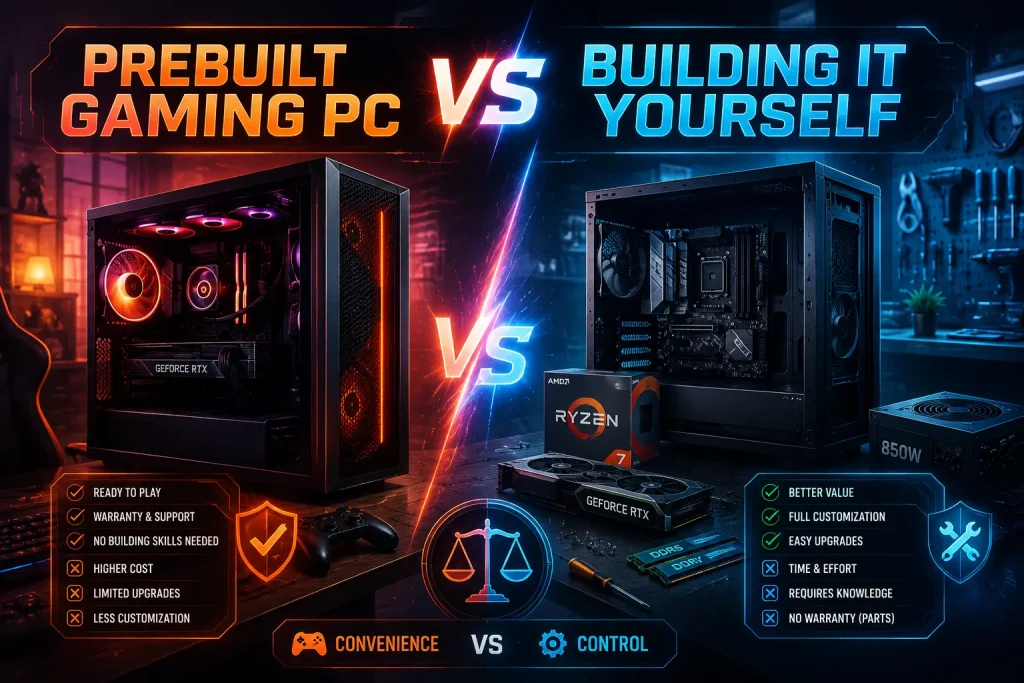
Some enthusiasts will naturally compare a VRLA Tech prebuilt with purchasing the same components individually.
Building Your Own PC
A custom DIY build offers:
- Complete component control
- More freedom over aesthetics
- Ability to shop for individual deals
- Full knowledge of every installed component
- Hands-on building experience
However, the buyer must handle:
- Compatibility research
- Assembly
- BIOS setup
- Operating-system installation
- Driver installation
- Cable management
- Individual component troubleshooting
Buying a Prebuilt
A prebuilt system focuses more on convenience.
VRLA Tech states that its gaming PCs arrive with software and drivers installed and are intended to be plug-and-play once the user connects the required peripherals.
That convenience is valuable for people who want a powerful gaming PC but do not want the building process itself to become a project.
What Monitor Should You Pair With It?
A premium PC deserves a display capable of showing the additional performance.
Good pairings include:
1440p 165Hz
A strong combination for players wanting both image quality and smooth gameplay.
1440p 240Hz
A better match for competitive players who prioritize high frame rates.
4K 120Hz or 144Hz
Suitable for users who prioritize visual detail, modern AAA games, and larger displays.
Ultrawide Gaming Monitor
The hardware can also make sense for high-resolution ultrawide gaming, although performance requirements vary depending on the exact resolution.
Buying this system while continuing to use a basic 1080p 60Hz display would leave much of its performance capability unused.
How to Get the Best Performance From the System
Even premium hardware benefits from proper configuration.
Keep Radeon Drivers Updated
New GPU drivers can improve game compatibility, fix bugs, and provide optimizations.
Keep Windows Updated
Operating-system updates can contain security, compatibility, and hardware improvements.
Enable the Correct Memory Profile
High-speed DDR5 memory may require the appropriate BIOS memory profile to operate at its intended settings.
Use a Suitable Monitor Connection
Use an appropriate DisplayPort or HDMI connection based on the monitor’s supported resolution and refresh rate.
Maintain Airflow
Keep dust filters, fans, and ventilation openings clean.
Optimize Game Settings
Ultra presets are not automatically the best choice. Reducing a few extremely demanding settings can often provide much higher frame rates with minimal visible quality loss.
Long-Term Upgrade Potential
One reason to buy a desktop rather than a closed platform is flexibility.
The system can potentially evolve as requirements change.
A user might later add:
- More NVMe storage
- Additional SSD storage
- 64GB RAM
- A future graphics card
- Additional peripherals
- A different compatible processor
This can extend the useful life of the machine without requiring a completely new computer.
Users should always verify motherboard, case, cooling, BIOS, power, and physical compatibility before performing major upgrades.
Frequently Asked Questions
Is the VRLA Tech AMD Ryzen 7 9800X3D RX 9070 XT good for gaming?
Yes. It combines a gaming-focused Ryzen X3D processor with a high-performance Radeon graphics card, making it particularly suitable for demanding 1440p, high-refresh, and 4K gaming.
Is the Ryzen 7 9800X3D good with the RX 9070 XT?
Yes. The combination is well balanced because the Ryzen 7 9800X3D provides strong CPU-side gaming performance while the RX 9070 XT handles demanding graphics workloads.
How much VRAM does the RX 9070 XT have?
The Radeon RX 9070 XT has 16GB of GDDR6 graphics memory on a 256-bit memory interface.
How many cores does the Ryzen 7 9800X3D have?
The Ryzen 7 9800X3D has 8 CPU cores and 16 threads. AMD lists a maximum boost clock of up to 5.2 GHz.
Is this PC good for 1440p gaming?
Yes. High-refresh 1440p gaming is one of the strongest use cases for this CPU and GPU combination.
Can the RX 9070 XT handle 4K gaming?
The RX 9070 XT is designed for high-resolution gaming and has 16GB of graphics memory. Actual 4K frame rates depend on the game, graphics settings, ray tracing, drivers, and upscaling configuration.
Is 32GB RAM enough for gaming?
Yes. 32GB is sufficient for the overwhelming majority of modern gaming systems and also provides useful room for multitasking and background applications.
Conclusion
The VRLA Tech AMD Ryzen 7 9800X3D RX 9070 XT is built around a straightforward idea: combine a gaming-focused processor with a powerful Radeon graphics card and surround them with hardware that is capable of supporting their performance.
The Ryzen 7 9800X3D brings 8 cores, 16 threads, AMD 3D V-Cache technology, and strong gaming-focused capabilities, while the Radeon RX 9070 XT contributes 16GB of GDDR6 memory and the GPU performance required for demanding modern titles.
Adding 32GB of DDR5 memory, 2TB NVMe storage, an X870 motherboard, substantial liquid cooling, and a 1000W 80+ Gold power supply creates a much more complete system than simply placing two powerful components inside a case.
It will be excessive for basic computing or casual 1080p gaming, but that is not the audience it is designed to serve. For users targeting high-refresh 1440p, 4K gaming, competitive performance, VR, streaming, and long-term desktop upgradeability, the Ryzen 7 9800X3D and RX 9070 XT combination represents a powerful and well-balanced approach to a premium AMD gaming PC.
